This morning while I was checking my email I experienced a power outage. [Note to self: Buy a new UPS to replace the one under my desk that has dead batteries]
So of course my computer had an inelegant shut-down right during the exact moment that Outlook was retrieving email from the server.
Once power was restored, I started up my iMac and attempted to launch Outlook 2011 from the dock. It would not launch. When I clicked on it, it the icon would bounce once and then nothing else would happen.
Uh-oh.
First thing to do is to visit the Console and see what kind of error message you might find in the log. If you’ve never visited the Console, you’ll find it in your Applications/Utilities folder. When you launch Console, find the time that the problem occurred. In my case the log looked like this:
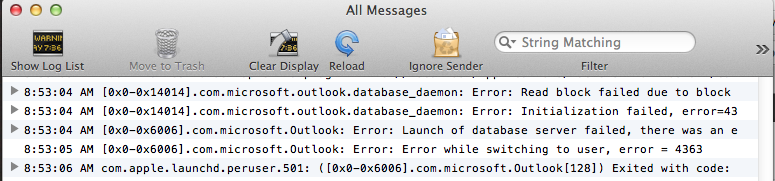
Notice what it says at 8:53:05 AM. This indicated that the cause for Outlook not opening had to do with the database… that means my “Main Identity” had a corrupted database as a result of my iMac suddenly losing power.
Next step then is to attempt to rebuild the database and this is accomplished by holding the Option (or ALT) key on your keyboard as you launch Outlook either by clicking on its icon in your dock, or by double-clicking on the application directly.
At this point the Microsoft Database Utility should launch and you’ll see this:
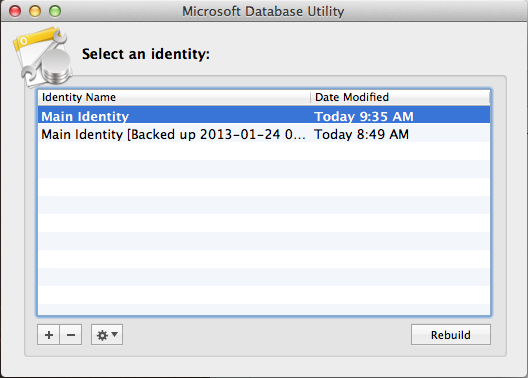
You’ll want to select “Main Identity” and then click “Rebuild”
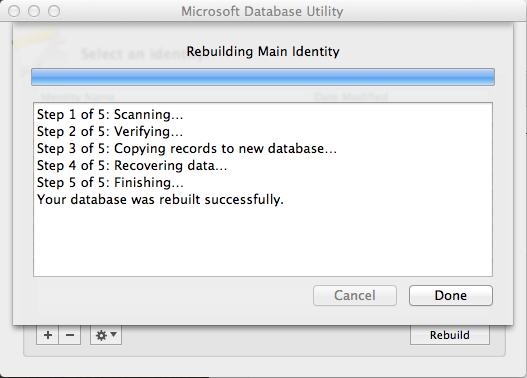
Hopefully you will then see your computer progress through a rebuilding process that takes 5 steps:
Once the database has been rebuilt, your original Main Identity will be re-named “Main Identity [Backed up 2013-01-24 09.35.34]”, but of course yours will have a different timestamp.
At this point you cross your fingers, take a deep breath and attempt to launch Outlook 2011 again. This time you should find that things are back to normal and it will launch normally with a freshly rebuilt and hopefully trouble-free Main Identity database.
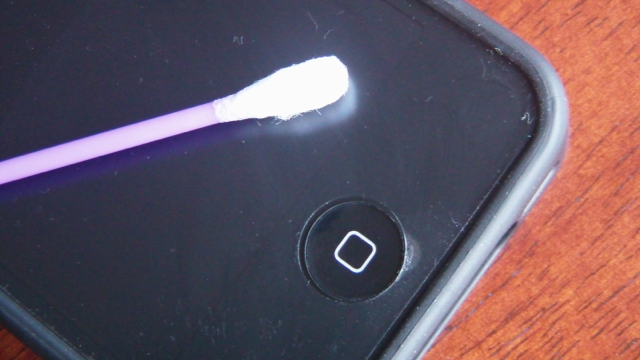
 Does your home button make crunchy sounds when you press it? Has your home button become harder to press and does it sometimes stick in the down position when you press it? Well the problem is probably nothing to worry about and an most likely be remedied by a simple and quick cleaning.
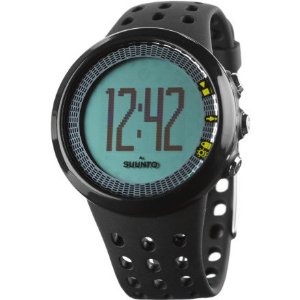 The Suunto M5 Black, is a very comfortable heart rate monitor that offers athletes and fitness oriented individuals to carefully monitor their exercise level by means of measuring the heart rate during exercise. The M5 will guide you to attain a fitness goal (from a list of three choices: fitness, weight or free. If you choose fitness or weight, the M5 will give guidance whereas if you choose free, no guidance will be given) by suggesting workout times and how long of a recovery period you will need after an exercise period. The box contained the watch with men’s strap, chest belt with transmitter and the USB movestick for uploading workout data to the movescount website.